How to Turn One Studio Session into a Month of Short-Form Video Content
One strong recording session can create a month of short-form video content if you plan before you record.
Build a hook bank, answer focused questions, leave clean pauses, then cut the session into short videos for Reels, TikTok, YouTube Shorts, and LinkedIn.
Start with the right studio environment
Your setting affects how your content feels.
The Current offers two studio environments in Lewis Center, Ohio. Each one supports a different on-camera style.
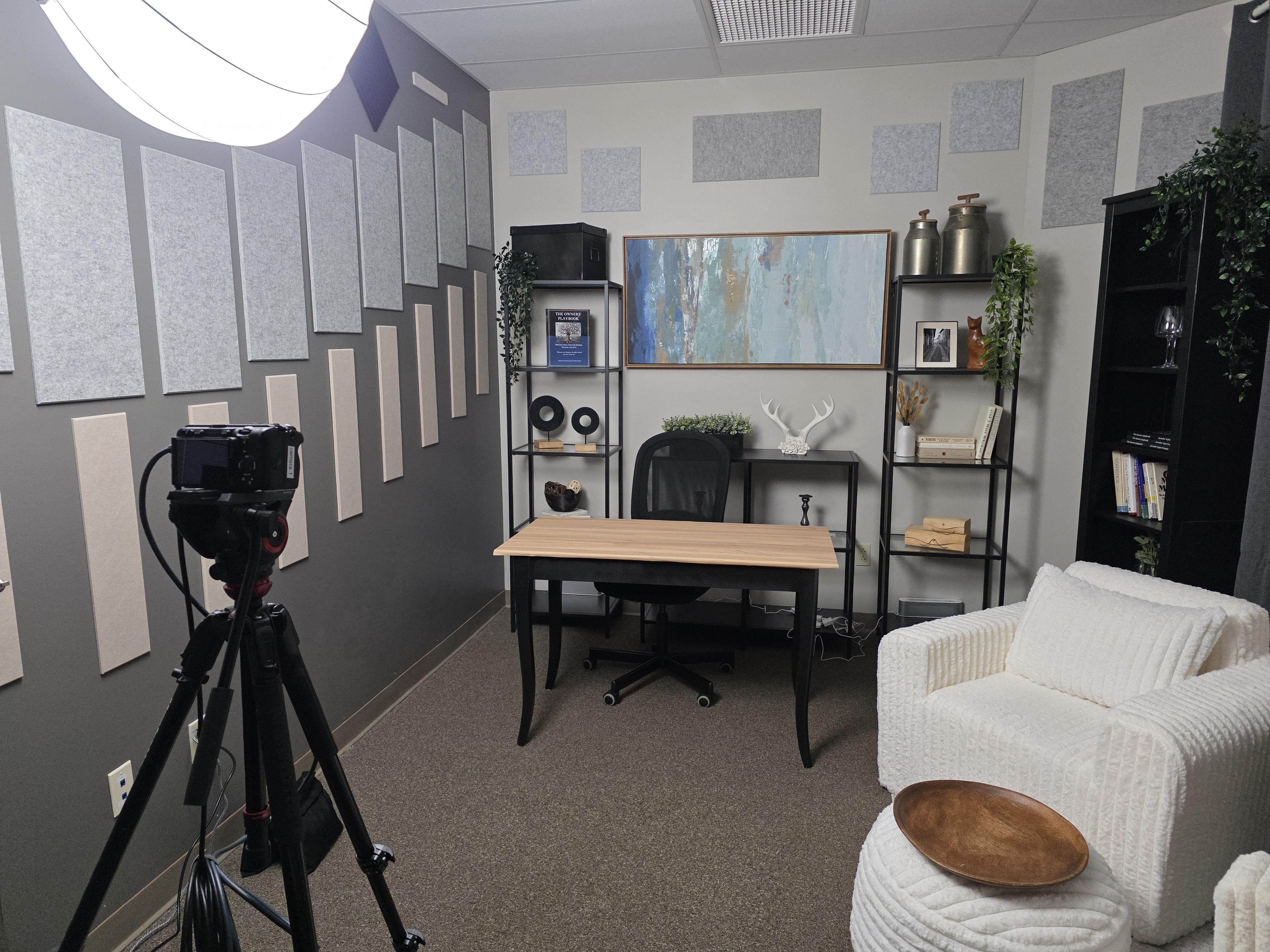
Studio Arrakis: warm and grounded
Arrakis works well for:
Interviews
Coaching content
Educational videos
Solo recordings
Personal stories
Choose it when trust and connection matter most.
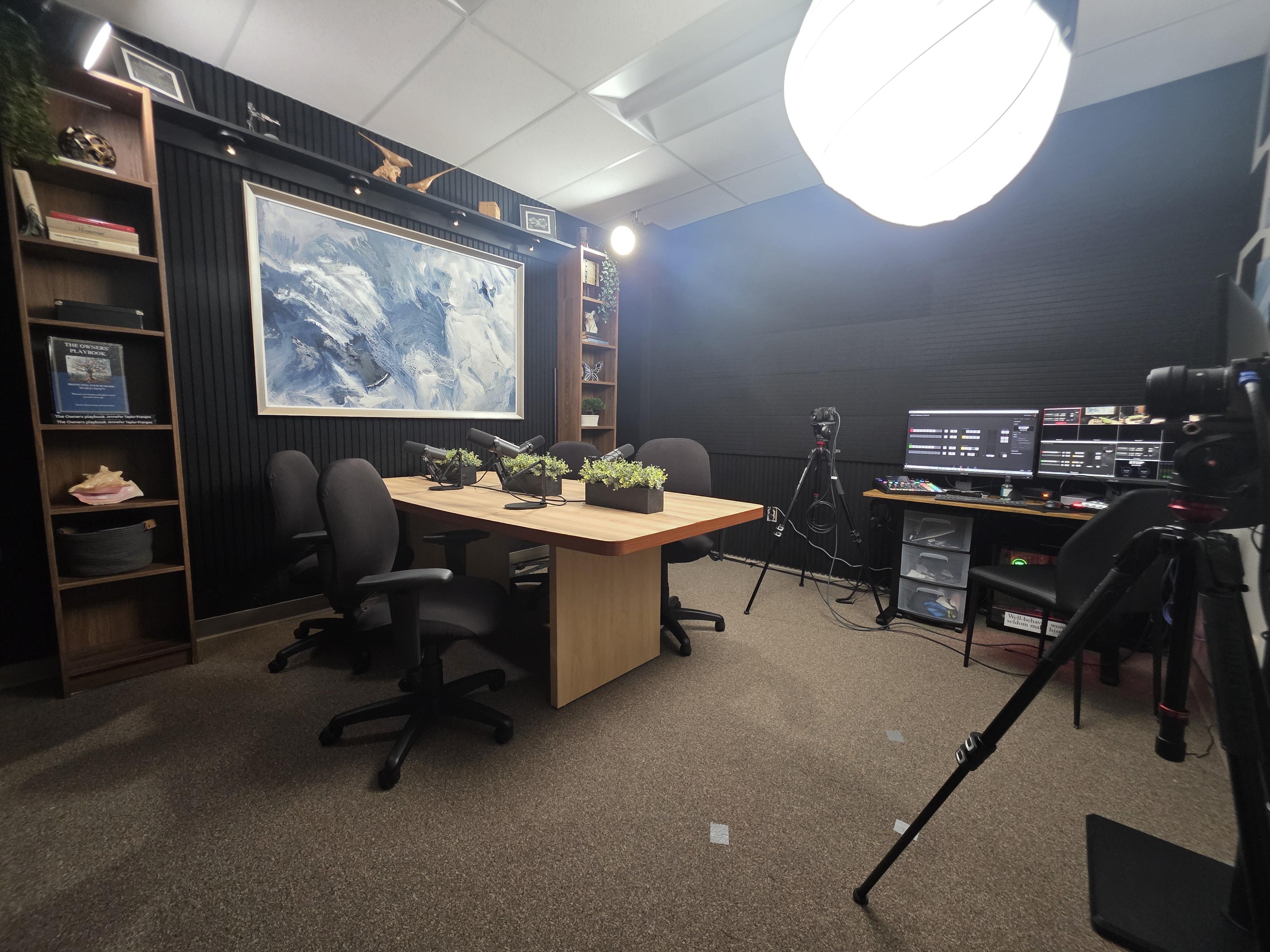
Studio Dune: bold and modern
Dune fits:
Video podcasts
Business content
Panels
Promotional videos
Authority-driven content
Choose it when you want stronger visual presence and a more modern edge.
Both environments include broadcast audio, multi-camera video, lighting, live monitoring, on-site support, and raw file delivery after the session.
Before booking a podcast studio in Lewis Center, decide whether your content should feel warm and grounded or bold and modern.
Plan a batching session, not just a recording
A batching session has one purpose: capture multiple useful pieces of content while you are already prepared, mic’d, and on camera.
Do not arrive with only a broad topic such as “marketing” or “leadership.” Arrive with focused prompts.
For one session, prepare:
Three to five core topics
Five to seven questions per topic
One clear hook and takeaway for each question
A short answer, story, or example for each prompt
Use short pauses between prompts and create clean sections that can stand alone.
A 90-minute session can work well for a focused content block. Longer sessions give you more room to cover multiple episodes, topic groups, or a larger clip library.
Build a hook bank before you record
The first three seconds determine whether a viewer understands why the clip matters.
Strong hooks often use structures like:
The mistake: “Most small businesses waste time on this part of content.”
The correction: “You do not need to post every day to stay visible.”
The question: “What should you record when you have only one hour?”
The promise: “Here is a simple way to plan a month of videos.”
The contrast: “A polished video is useful. A clear video is better.”
Create 15 to 20 hooks before your session. You may not use all of them, but the extra options help when a conversation shifts.
Select three to five clips from every major topic
Not every minute of a recording deserves to become a post.
Look for moments that are:
Easy to understand without much context
Focused on one idea
Useful to a specific audience
For each major topic, look for three to five clip types:
The quick tip
One action the viewer can take today.The myth or mistake
A common belief or behavior that needs correcting.The story
A personal example, client lesson, or turning point.The framework
A short process with two, three, or four steps.The opinion
A clear point of view that invites discussion.
When reviewing your recording, cut duplicates and keep the clearest version.

Use captions and text overlays to make every clip clear
Captions support the spoken message. They should not compete with it.
Keep them:
Accurate
Easy to read
Large enough for mobile viewing
Short enough to follow naturally
Use text overlays to reinforce the main idea. A viewer should understand the topic even before listening closely.
Examples:
“3 ways to prepare for a recording session”
“The content batching mistake”
Do not place the full transcript on screen. Highlight the important phrase.
Create format variety from the same recording
One session can produce several types of short-form video.
Turn strong moments into:
Quick tips
Stories
Myth versus reality
Before and after
One-topic series
FAQ videos
Strong opinions
Adjust the packaging for each platform.
Build a realistic posting rhythm
A month of content does not have to mean posting every day.
Three to five short-form videos per week gives you 12 to 20 posts across four weeks. That is enough to stay consistent without exhausting your topic list.
Try this rhythm:
Monday: Quick tip
Wednesday: Mistake or myth
Friday: Story, opinion, or framework
Batch the editing and repurposing
The most efficient workflow separates recording from editing.
Use this sequence:
1. Record once
Capture the full conversation or content block in the studio.
2. Pull the moments
Review the recording and identify the strongest clips.
3. Edit systematically
Apply a consistent standard for framing, captions, pacing, and text overlays.
4. Repurpose per platform
Export vertical versions and adapt the caption and call to action by platform.
5. Schedule the month
Place clips on a calendar by topic, format, platform, and publish date.
6. Keep unused clips
Save strong extras for future posts or follow-up content.
This is where professional help can remove friction. Depending on the package, The Current's content creation packages pair studio time with short-form clip production and editing, with larger options adding more clips, long-form cuts, and strategy support.
Packages range from a Starter Clip Pack with three to five short-form clips to a CEO Full Day option designed for 20 to 30 clips and a more complete content system. Choose the level of support that matches your publishing goals.

Why a professional studio helps
Short-form video can be recorded anywhere, but a professional environment removes common distractions. At The Current, the studio environment, production setup, and raw file delivery are already handled, so your session is built around repurposing from the start.
The Lewis Center location serves creators and businesses across Greater Columbus, and The Current is also connected to the Deal Flow Network, a business community centered on relationships and opportunity.
Frequently asked questions
How many short-form videos can one studio session create?
It depends on session length, topic density, and editing goals, but a well-planned session can produce a strong clip library.
Should every platform receive the exact same video?
No. Reuse the core clip, but adjust the caption, context, and call to action for each platform.
Do I need to edit the clips myself?
No. You can work from raw files, add clip packs, or choose a package that includes editing and short-form delivery.
Can I record multiple topics in one session?
Yes. One focused recording block can cover several topics, content pillars, or episodes.
Turn one session into a repeatable content system
A month of short-form video starts before the cameras roll.
Choose the right environment, plan the hooks, and record focused answers you can repurpose. That is how one professional session becomes a reliable content library.
If you want the recording, editing, and clip process handled in one place, explore The Current’s content creation packages or book time in the podcast studio in Lewis Center.
Your 01 / 02 / 03 workflow
01 : Map the session
Choose Arrakis or Dune, define three to five topics, and build a hook bank before recording day.
02 : Capture the usable moments
Record focused answers with clean pauses, then pull the strongest clips from each topic.
03 : Turn one session into a month
Edit, label, and schedule your best clips so one studio session supports weeks of short-form posting.
